
Fact finds in,
file notes out.

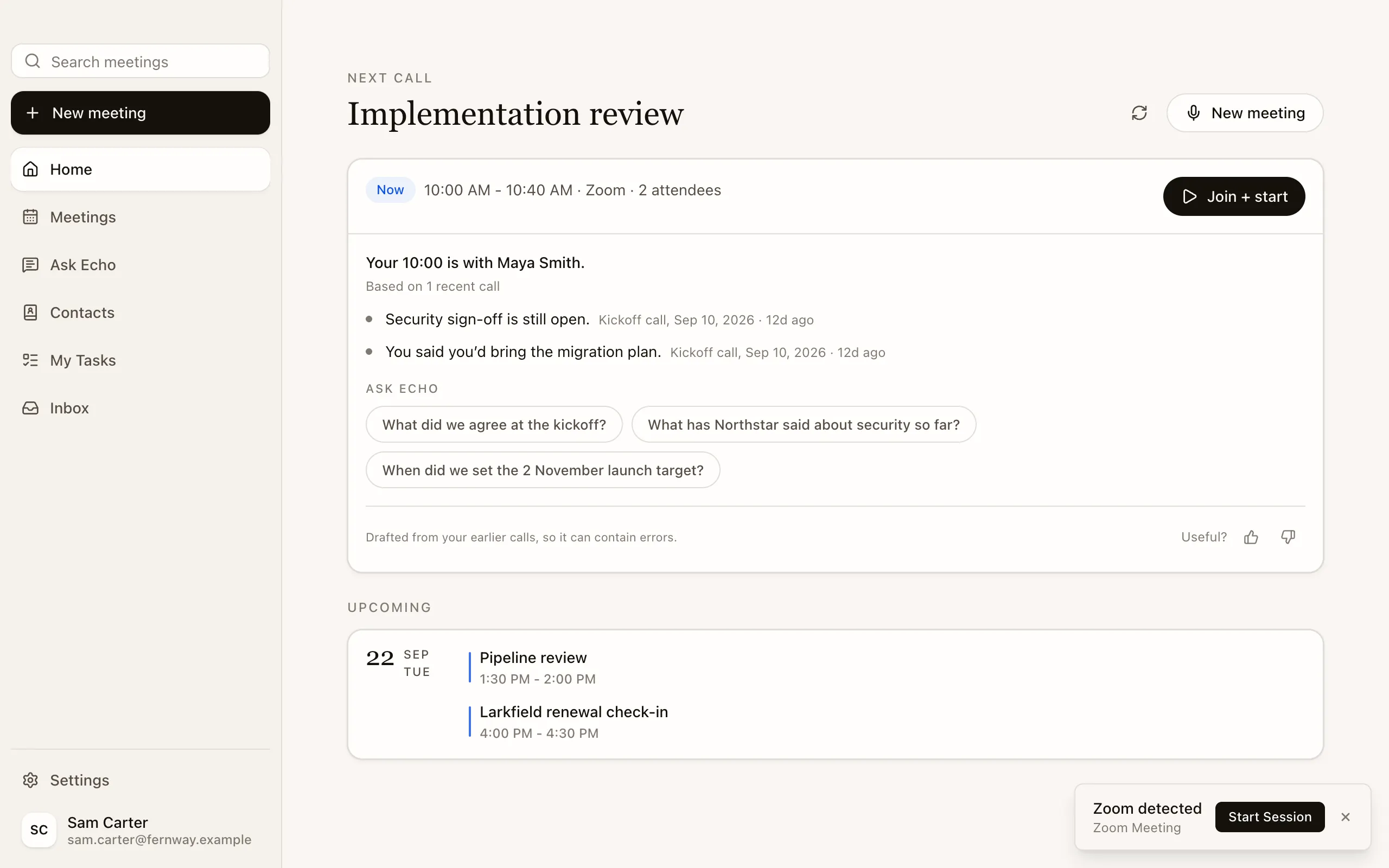
Every policy starts with a chat.
Now Echo does the writing:
- a fact-find summary,
- a file note,
- a follow-up email.
File notes from the fact find.
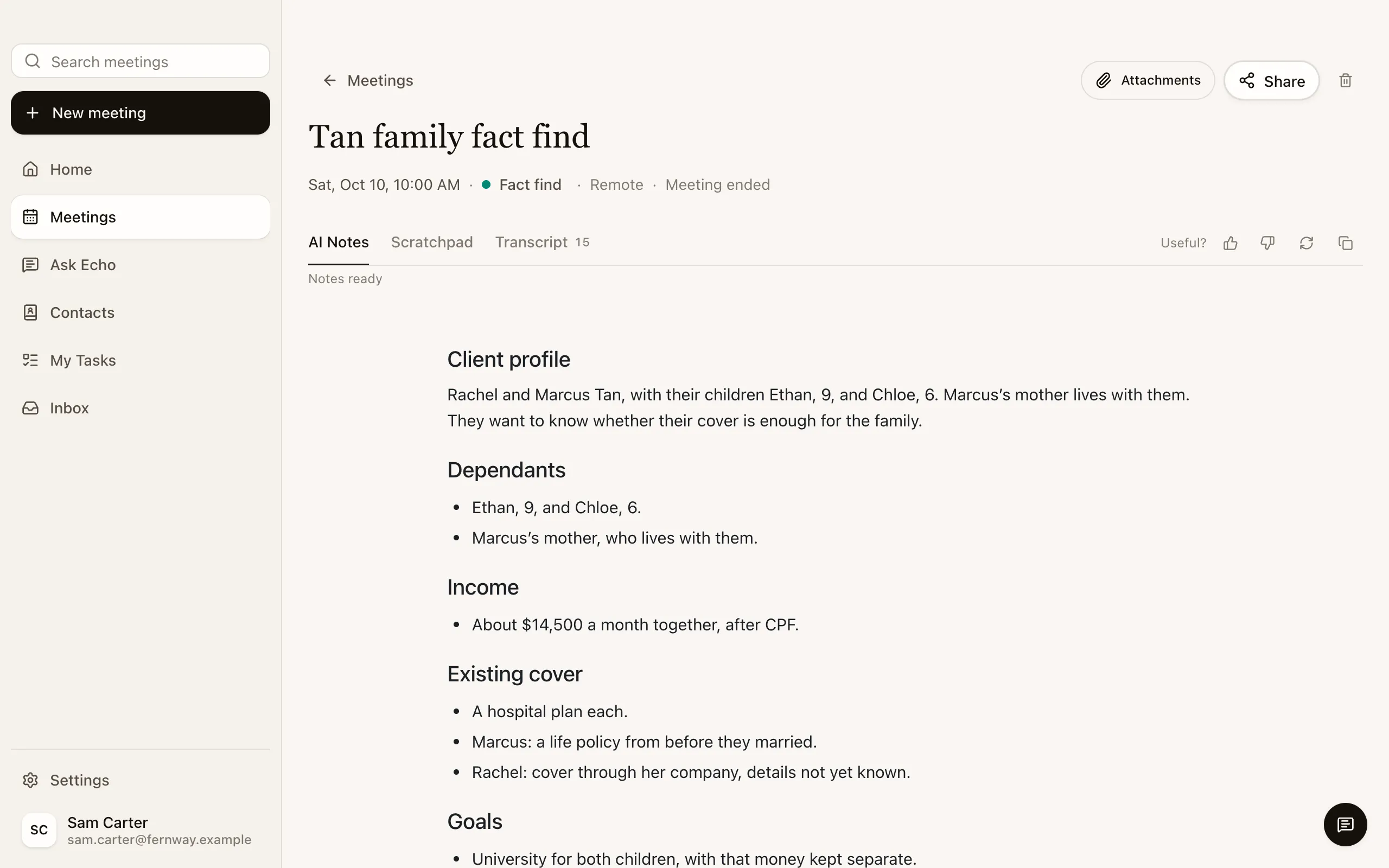
Ask for the file note and Echo drafts it from the meeting, as a PDF or Word file. Tell it what to change, and it drafts again.


The file opens as the file note of the Tan family’s fact find, two pages: the client profile, the needs identified, their existing cover, their goals and budget, what was agreed, what is still to confirm and the next steps, as a draft for the adviser to sign off.


Stay with the family.
Glance at Echo. The next question is there.
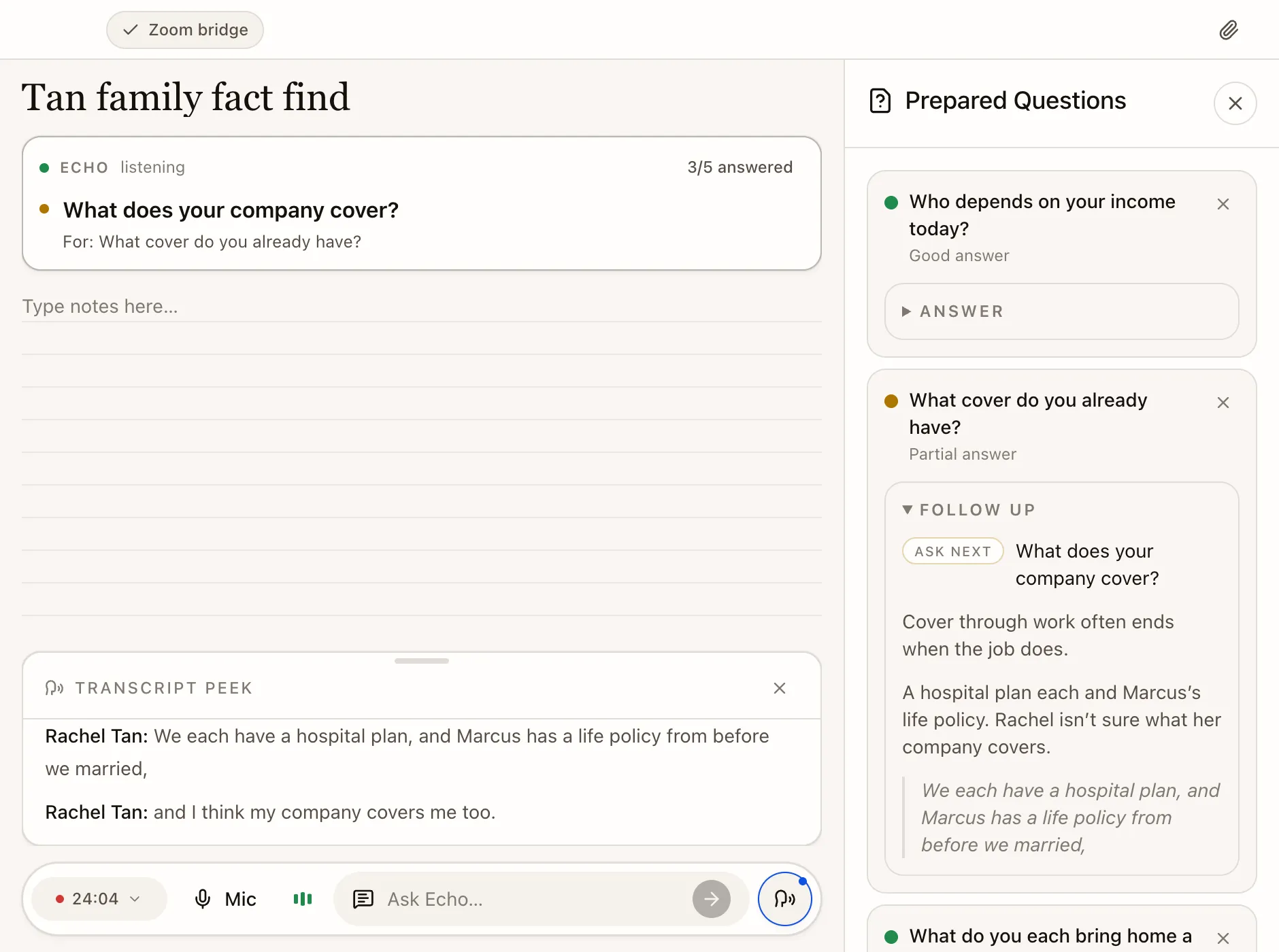
Echo checks your key fact‑find questions as the family answers, and suggests a follow-up when an answer falls short.
Speak their language. Echo takes the notes.
It transcribes English, Mandarin, Malay and Tamil, switches included, and fills in your fact‑find headings.


Pick up where you left off.
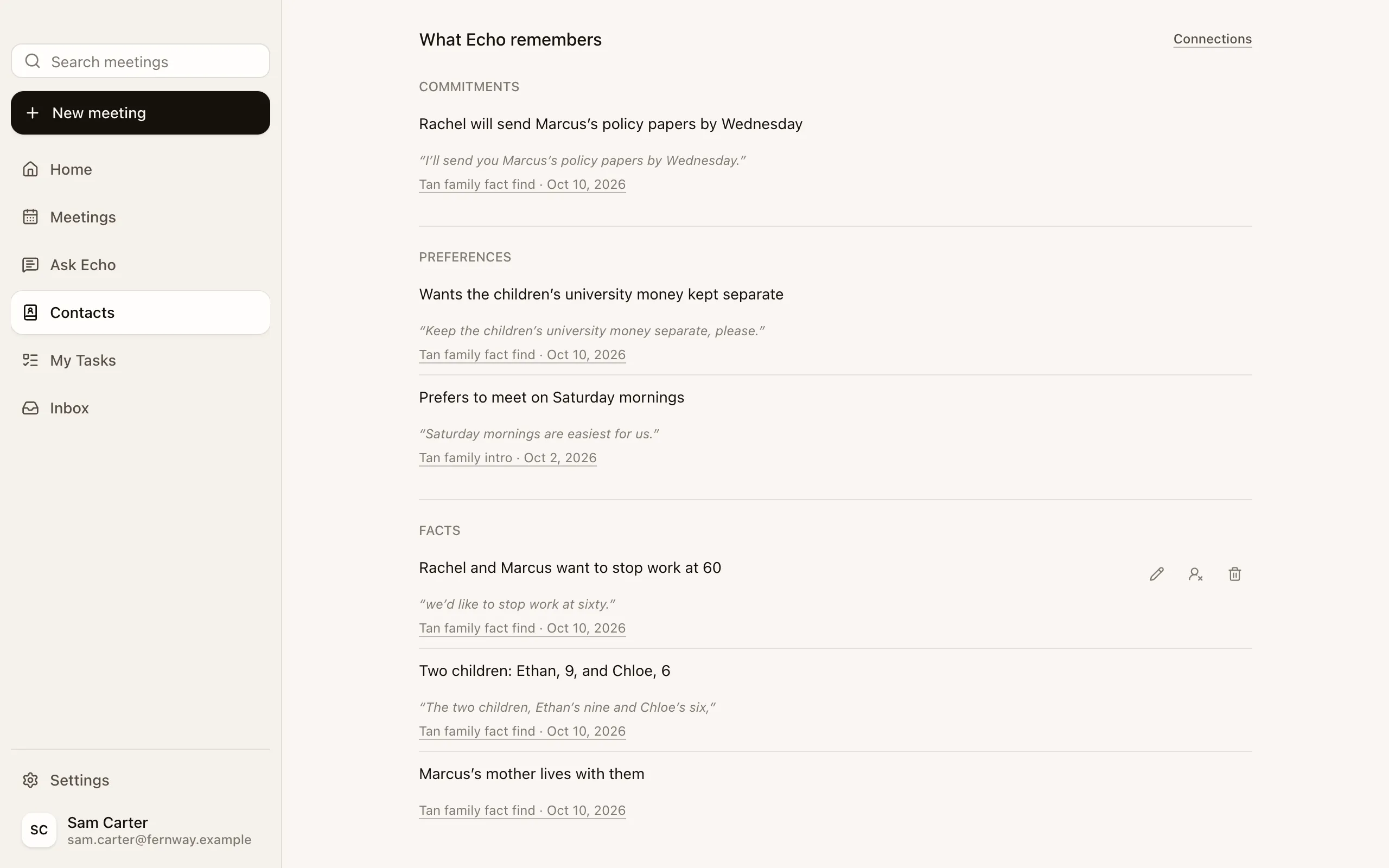
Echo remembers your clients’ goals and who promised what, each with the meeting it came from, and briefs you before the next review.

Bring your unit in.
Share a fact find with a colleague or your unit, at the access you choose. Your agency can also share every adviser’s meetings with their unit and its managers, automatically.

Careful with client data.
Never used to train AI. Encrypted in transit and at rest. Hosted on SOC 2 Type II and ISO 27001 audited platforms.
No bot on the call.
Echo listens from your computer, so the call is just you and the family.
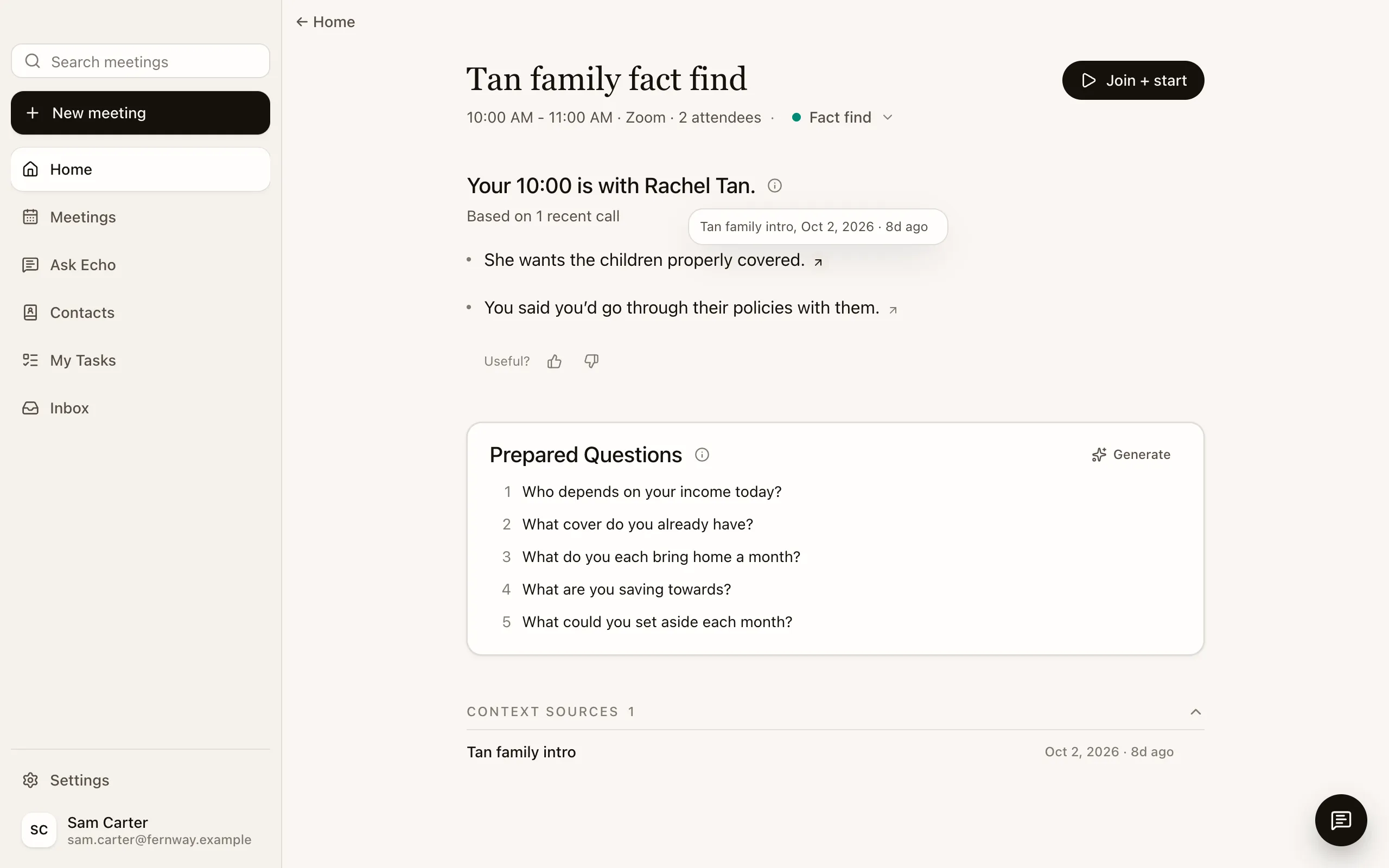
Every brief shows its sources.
Each line links back to the meeting it came from, so you can check it before you see the client.
You decide what it remembers.
Edit a fact, move it to the right client or forget it.


Advise more families.
Leave the writing to Echo. Download it before your next fact find.
Rolling it out to your agency? Talk to us →
Tell clients you’re taking notes with an AI assistant.